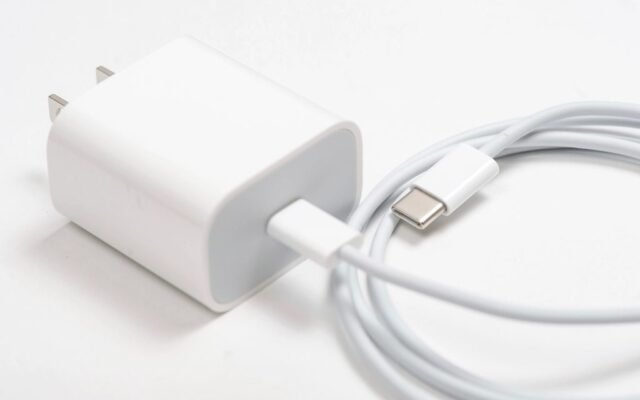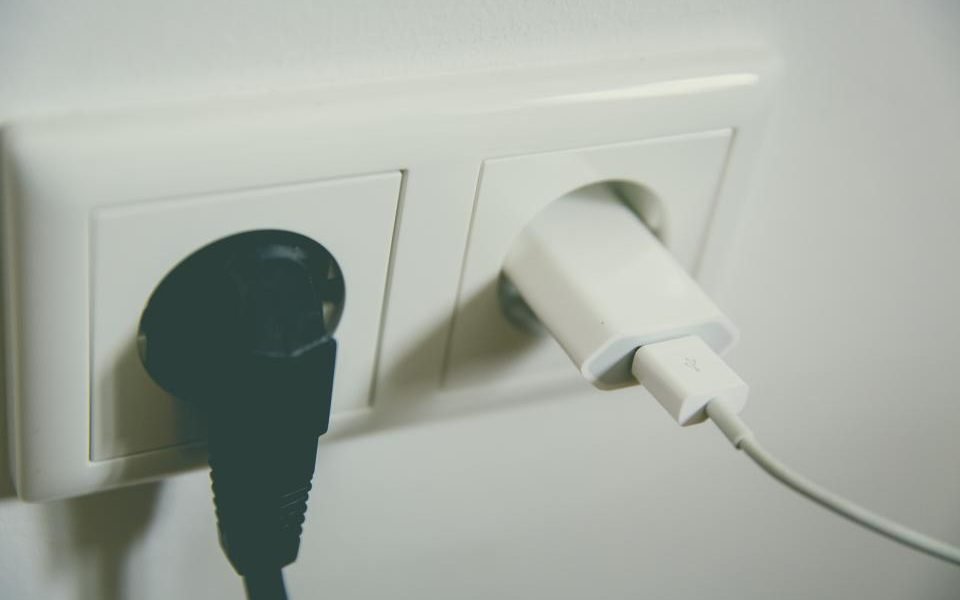
A smart plug is one of the cheapest ways to try smart home technology. It sits between a wall outlet and an ordinary device, and lets you switch that device on or off from a phone app, a schedule or a voice assistant. Used well, it removes small daily hassles. Used carelessly, it can overheat under the wrong appliance or add a weak spot to your home network.
This guide covers what a smart plug can and cannot do, the uses that genuinely help, how to read the load rating printed on it, and the setup and security mistakes that cause most problems.
What a smart plug actually does
A smart plug is a remote-controlled switch for power, nothing more. When it is on, electricity flows to whatever is plugged in; when it is off, nothing does. It cannot press buttons, change settings or tell a device what to do, so the device itself has to cooperate.
That makes the best candidates devices with a simple mechanical switch that stays in the on position, such as a basic lamp, a string of lights or a fan with a physical rocker or dial. When power returns, they come straight back on. Many appliances with touch buttons or electronic controls wait in standby when power returns, so a smart plug cannot start them. To test a device, unplug it and plug it back in: if it starts running by itself, it will work with a smart plug.
Practical uses that earn their place
The most useful jobs are small, repetitive ones you would otherwise forget or put off. These are good places to start.
- Lamps and fans on a schedule. Have a living room lamp turn on at dusk and off at bedtime, or a fan switch off an hour after you fall asleep.
- Lights while you are away. Many apps offer an away or vacation mode that switches lights at varied times so the house looks lived in.
- Seasonal and decorative lights. String lights behind a shelf or on a balcony can run on a timer instead of staying on all night. Use an outdoor-rated plug outside.
- Grow lights for houseplants. A schedule gives indoor plants consistent light hours without you having to remember. Our guide to low-maintenance houseplants suggests forgiving plants to pair with one.
- Checking energy use. Some models measure how much power a device draws, which can reveal devices that use more on standby than you expected.
Load ratings: the part people skip
Every smart plug has a maximum load, printed on the plug, box or manual, usually in amps (A) and watts (W). Watts measure how much power a device uses, and amps measure the current flowing through the plug. To convert, multiply amps by your mains voltage. In North America, a plug rated at 15 A on a 120-volt supply can handle up to about 1,800 W, while plugs in the UK, Europe and Australia work at around 230 volts and carry their own ratings.
Staying under the maximum is not the whole story. A space heater often draws around 1,500 W on its high setting, which on a 120-volt supply is about 12.5 A, and it may run like that for hours. Running near its limit for hours makes a plug’s internal contacts hot, which is a real risk in a cheap plug. Many plug makers say not to use their plugs with space heaters, and many heater makers say to plug heaters directly into a wall outlet, with no extension cords or adapters in between.
The same caution applies to other high-draw appliances, such as portable air conditioners, electric kettles, toasters, hair dryers, irons and microwaves. If you really want to control one remotely, look for a plug that is specifically rated and certified for that kind of load, and read both manuals. Just as important, never schedule or remotely switch on anything that could cause harm with no one watching it, such as a heater, an iron, hair straighteners or a kettle.
Look for a recognized safety certification mark for your country on the plug and its packaging, and buy from sellers you can identify. Plug a smart plug straight into the wall, not into an extension cord or another adapter, and use outdoor-rated models anywhere they could get wet.
Setup mistakes to avoid
- Picking the wrong Wi-Fi band. Many Wi-Fi smart plugs connect only on 2.4 GHz, so setup can fail on routers that combine bands under one network name. Check the box, and see if your router can run a separate 2.4 GHz network.
- Ignoring compatibility. Check that the plug works with the voice assistant or smart home app you already use. Devices that support Matter, an industry standard meant to let smart home products from different brands work together, give you more flexibility, but confirm what your app supports.
- Plugging your router into a smart plug. If the plug switches the router off, it also cuts its own connection, and you may not be able to switch it back on remotely.
- Vague names. Name each plug after what it controls, such as “Hall lamp”, so schedules and voice commands make sense.
- Skipping the power-on setting. Many apps let you choose what the plug does after a power cut: stay off, turn on or return to its last state. Pick the safest option for each device.
Keep it secure on your home network
A smart plug is a small computer connected to your network, so treat it like one. Install firmware updates when the app offers them, or turn on automatic updates, and favor brands with a record of regular security updates. A plug that has not been updated in years is a weak spot, however harmless its job seems.
If your router supports a guest network, or a separate network for smart home devices, consider putting plugs and other gadgets there. That keeps them apart from the laptops and phones that hold your personal data. Some apps need your phone on the same network during setup, so you may have to join the guest network briefly while you add a device.
Protect the app account too. Use a unique password, turn on two-step verification if it is offered, and if the app supports passkeys, our explainer on how passkeys work explains the setup. Before you sell or give away a plug, remove it from your account and reset it to factory settings.
Does a smart plug save money?
Only a little, and only when it switches off something that would otherwise keep drawing power. Here is an example with assumed numbers. Say a TV corner with a soundbar and streaming box uses 10 W on standby, and a smart plug cuts its power for 16 hours a day. That is 160 watt-hours a day, or about 58 kilowatt-hours (kWh) over a year. At an assumed electricity price of $0.17 per kWh, the saving is around $10 a year, minus the small amount of power the plug uses itself.
Only cut power to devices that do not need a proper shutdown: computers, network equipment and game consoles that may be installing updates should not lose power suddenly. Convenience is the real reason to buy a smart plug; any energy saving is a bonus.
Quick checklist
- Use smart plugs for lamps, lights, fans and other low-draw devices with mechanical switches.
- Read the load rating, and keep space heaters and other high-draw appliances off them unless the plug is specifically rated for that use.
- Never remotely switch on anything that is unsafe to leave unattended.
- Check Wi-Fi band and compatibility before you buy, then keep firmware updated and the app account secure.
Start with one plug and one lamp, live with it for a week, and add more only where it clearly helps. For more everyday gadget guides, browse our technology section.