
Video games are expensive in a way that is easy to miss. The price of a new release is right there on the box, but deluxe editions, add-ons, subscriptions and in-game purchases pile up quietly, and over a year the total can be far more than you would guess.
The good news is that patience is the biggest discount in gaming. This guide covers timing purchases around sales, using wishlists and price alerts, deciding whether a subscription beats buying, getting value from used games, capping in-game spending and avoiding risky cut-price keys.
Patience is the biggest discount
Most games get cheaper after launch, often within months. Digital stores on consoles and PC run regular sales, and the big seasonal events tend to come around at similar times each year, such as late November, the winter holidays and the middle of summer. Unless you need a game on day one, waiting is the simplest way to pay less.
Here is how the math can look, using assumed numbers. Say a new big-budget game launches at $70, a common price for major releases in the US at the time of writing, October 2026, though some cost more. If you wait six months and buy it in a sale at 40% off, you pay $42 and save $28. Do that with four games in a year and you keep $112, more than the price of one and a half new releases.
Waiting has other perks: bugs get patched, player reviews are in, and many games later appear in a complete edition that bundles the add-ons, known as downloadable content or DLC, often for less than buying them separately. There is rarely a reason to pre-order a digital game, because a download cannot sell out.
Let wishlists and price alerts do the watching
You do not need to check store pages every week. The major digital stores, including Steam on PC and the PlayStation, Xbox and Nintendo stores, let you build a wishlist, and many can notify you when a wishlisted game goes on sale. Turn on those alerts only for the games you genuinely want.
Price-tracking websites and browser extensions can watch prices across several stores and alert you when a game drops below a target you set. Our guide to price tracking tools explains how they work. Decide what a game is worth to you before the sale starts, so a big red percentage does not decide for you.
- Look at the price history if a tracker shows it, since 50% off an inflated starting price is not much of a deal.
- Try a demo first where one exists. Half an hour can tell you whether you will enjoy the game.
- Know the refund rules. Steam, for example, accepts refund requests within a set window for games played only briefly, but rules differ between stores.
Subscriptions: good value or a quiet drain?
Game subscription services such as Xbox Game Pass, PlayStation Plus, Nintendo Switch Online and Apple Arcade give you access to a library of games, online play or both, for a recurring fee. Tiers, catalogs and prices change often, so check the current options before you subscribe.
To test whether a subscription pays off, add up the games you would actually buy in a year without it, at realistic sale prices, and compare that with the subscription’s yearly cost. As an assumed example, if a tier costs $180 over a year and you would otherwise buy two discounted games at $40 each, buying wins by $100. If you would play six or seven games from the catalog, the subscription probably wins.
The cheapest approach is often rotation: subscribe for a month or two when several games you want are in the catalog, play them, then cancel until the next batch arrives. It is the same idea our guide to cutting streaming costs uses for TV. Keep in mind that consoles generally require a subscription for online multiplayer in paid games, so if you play online every week, that part may be a fixed cost.
Used games, trade-ins and free games
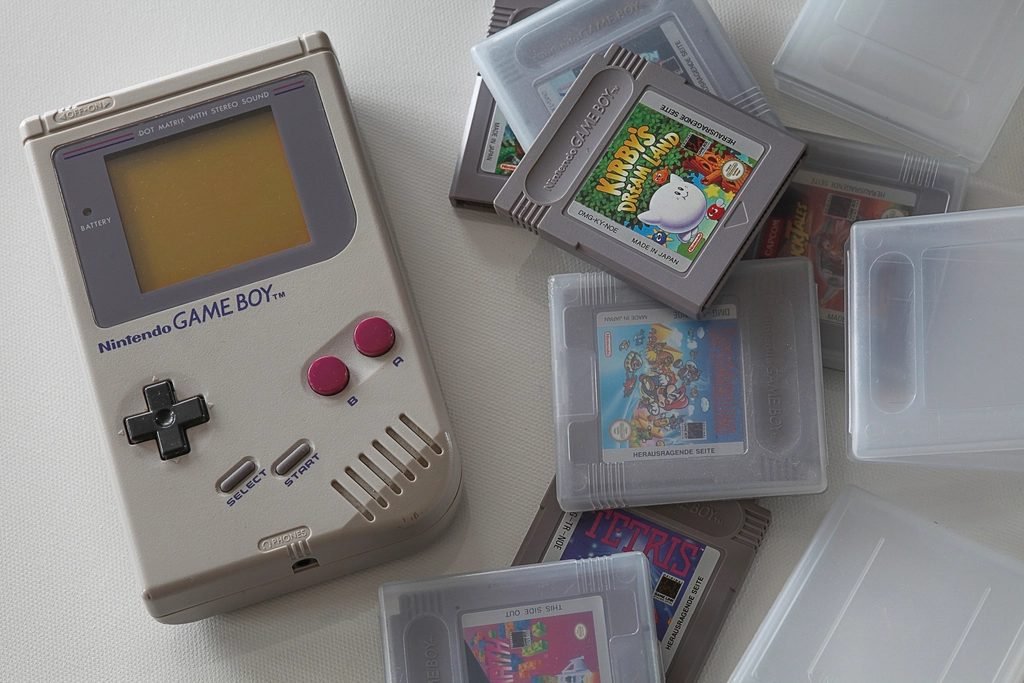
Physical games have one big advantage over downloads: you can buy them used and sell them on. A used disc or cartridge plays the same as a new one, and if you sell it when you finish, your real cost is the difference between what you paid and what you got back. This only works if your console takes discs or cartridges, and it pays to inspect discs for deep scratches.
Trade-in programs at game shops give you cash or store credit, which is money you can spend only at that shop, in exchange for games and hardware. They are convenient, but the shop needs a margin, so you will usually get less than you could by selling privately. Compare a quote with recent sold prices for the same item online before you decide.
Free games are worth a look too. Some PC stores, such as the Epic Games Store, give away games on a regular schedule that you keep once claimed, and some public libraries lend console games. If your platform lets one household share a game library, use that within its rules rather than buying a game twice.
Set limits on free-to-play spending
Free-to-play games cost nothing to download and make their money from in-game purchases, sometimes called microtransactions: outfits, season passes, currency packs and paid random rewards, often called loot boxes. Small purchases are easy to make and hard to add up, partly because many games sell an in-game currency instead of showing prices in dollars. Be especially careful with loot boxes, since you do not know what you are paying for, and some countries restrict them.
Decide on a monthly game budget in real money, and convert currency packs back into dollars before you buy. Consoles, PC launchers and phone app stores offer spending controls, such as requiring a password for every purchase or setting a spending limit on a child’s account. Remove saved cards from accounts children can reach, and look at your purchase history once a month so surprises show up early.
Why unofficial key resellers carry risks
A game key is a code that activates a game on a platform such as Steam. Many authorized stores sell keys with the publisher’s permission, sometimes at a discount, including bundle sites such as Humble Bundle and Fanatical. Separately, there are third-party marketplaces where individual sellers list keys, sometimes for much less, and neither you nor the publisher can always tell where those keys came from.
These marketplaces carry risks that official stores do not. Keys can be region-locked, so they will not activate where you live. A key originally bought with stolen payment details can later be revoked by the platform, leaving you with nothing. Refunds depend on the marketplace and the seller rather than the platform, and some marketplaces charge extra for buyer protection at checkout. If a price looks far below every authorized store, ask why, and when in doubt, wait for an official sale.
Quick checklist
- Wishlist the games you want, set a target price and turn on sale alerts.
- Skip digital pre-orders and wait for reviews, patches and complete editions.
- Compare a subscription’s yearly cost with the games you would really buy.
- Buy and sell physical games used if your console takes discs or cartridges.
- Set a real-money budget and spending controls for in-game purchases.
- Buy keys only from official or authorized stores.
The bottom line: most games you want will still be there in six months, usually for less. A little patience, a wishlist and a clear monthly limit cover most of the savings. If you want relaxing games that do not lean on in-game purchases, try our list of cozy games to unwind with, or find more ideas in our entertainment section.