Budget wireless earbuds have improved so much that the cheap pair can be the right pair. The problem is that the listings all look alike: big battery numbers, “Hi-Fi sound”, noise cancellation and a long list of acronyms. Some of those claims matter a lot in everyday use, and some barely matter at all.
This guide sorts the two. You will learn what to prioritize for commuting, workouts, calls and casual listening, how to read a spec sheet without being misled, and a few buying habits that protect you if a pair does not fit. “Budget” here means the price range below flagship models, roughly under $80 at the time of writing, October 2026, though the same advice applies at any price.
Fit comes first
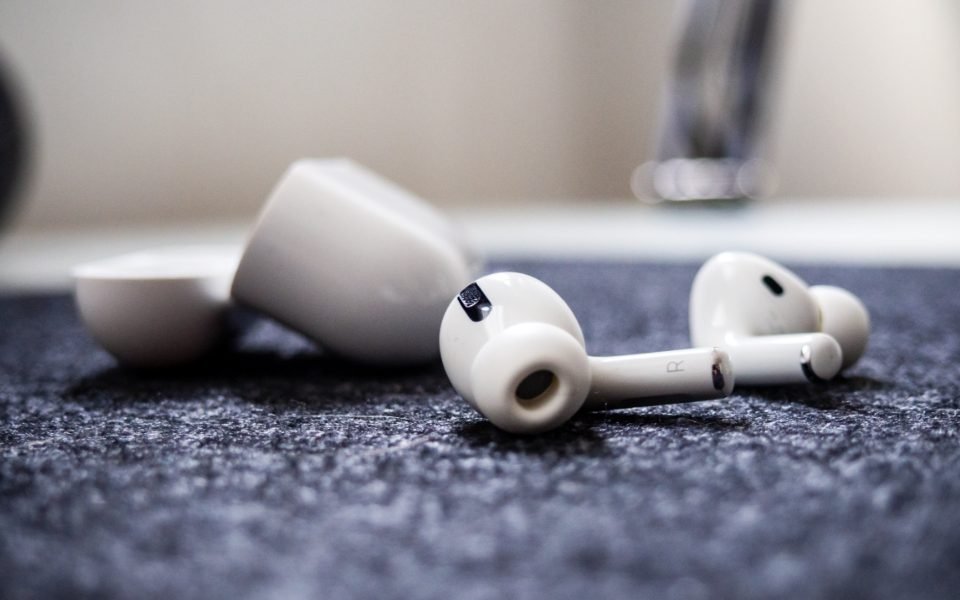
Fit decides almost everything else. Earbuds that sit loosely in your ear leak sound, which thins out the bass and weakens noise cancellation, and they are more likely to fall out. A pair that seals well can sound fuller than a pricier pair that does not.
Look for several sizes of ear tips in the box and try them all, because your left and right ears may not take the same size. Stemmed designs rest in the ear differently from round buds, and wing tips or ear hooks help during exercise. If you have small ears, check the size and weight of each bud, not just the case. Because fit is so personal, buy from a store with a straightforward return policy whenever you can.
Battery life: read the fine print
Listings often lead with a total such as “40 hours”, which adds the earbuds’ own battery to the extra charges stored in the case. The number that matters day to day is how long the buds last on a single charge, usually quoted at moderate volume and often with noise cancellation switched off. If you plan to use noise cancellation, look for the figure with it on.
Here is a quick way to check whether a pair suits you, using assumed figures. If your commute is 45 minutes each way, you listen for 1.5 hours a day. Buds rated at 6 hours per charge cover that with plenty to spare, and the case tops them up between trips. If you also take long calls or listen through a whole workday, you need more headroom. Rechargeable batteries gradually hold less charge as they age, so a pair that only just covers your day when new may fall short a year or two later.
Noise cancellation, transparency and calls
Active noise cancellation, or ANC, uses small microphones to pick up outside sound and plays an opposing signal to reduce it. It works best on steady, low-pitched noise such as engines and air conditioning, and less well on voices. Budget ANC varies widely, so look for reviews that describe real situations, such as a bus or an open-plan office, rather than relying on a number printed on the box.
Transparency mode, sometimes called ambient or awareness mode, does the reverse: it lets outside sound in so you can hear announcements or traffic without removing the buds. For walking or cycling in town, it matters as much as ANC. Call quality depends on the microphones and their processing, and it varies a lot between cheaper models. If you take many calls, look for reviews with recorded call samples, and consider multipoint, a feature that keeps the buds connected to two devices at once, such as your phone and your laptop.
Codecs, Bluetooth and the acronyms you can mostly ignore
A codec is the method your phone uses to compress audio before sending it over Bluetooth. SBC is the basic one every device supports. AAC is the one iPhones use for better quality, and many Android phones support it too. Some Android phones also support aptX or LDAC, which can carry more detail, but only when the phone and the earbuds share the same codec. If you use an iPhone, aptX and LDAC on the box add nothing for you.
Other specs deserve less weight than listings give them. A newer Bluetooth version brings modest gains, mainly in efficiency and connection stability, and any recent version handles music well. Driver size, the diameter of the tiny speaker inside each bud, says little on its own about how a pair sounds. A “Hi-Res” badge describes what the hardware can handle, but over Bluetooth the codec your phone uses usually sets the real limit. What does help is a companion app with an equalizer, which lets you adjust bass and treble, and a maker that releases firmware updates to fix bugs.
Match the features to how you listen

Instead of chasing the longest feature list, start from your day and work backward to the features that serve it. The table below shows what to prioritize in four common situations, and what you can safely give less weight.
| If you mostly use them for | Prioritize | Less important |
|---|---|---|
| Commuting | ANC, transparency mode, single-charge battery life | Wireless charging |
| Workouts and running | Secure fit, water and sweat resistance | ANC |
| Calls and remote work | Microphone quality, multipoint | Extra codecs |
| Games and video | Low-latency mode, comfort for long sessions | Headline battery totals |
For workouts, check the IP rating, a standard code for protection against dust and water. The second digit covers water: IPX4 means resistance to splashes and sweat, while IPX7 covers brief immersion. An X in place of the first digit simply means the product was not rated for dust. No rating at all is a reason for caution if you sweat a lot or run in the rain. For gaming, a low-latency mode reduces the small delay between what you see and what you hear.
Smart buying habits
- Buy where returns are easy. Fit and comfort are hard to judge from photos.
- Check the exact model. Brands often sell several similar-looking models at different prices, and sale listings can mix them up. Our guide to spotting a real deal during big sale events covers model-number checks.
- Be wary of name-brand earbuds at unusually low prices from unknown sellers, since counterfeits exist and can look convincing.
- Read long-term reviews for problems such as one bud failing early, loose case hinges or frequent connection drops.
- Check the warranty and whether the maker sells replacement buds, tips or cases.
Once you have a pair, a few habits help it last. Store the buds in their case, keep the charging contacts clean and dry, and avoid leaving the case in a hot car. Streaming music over Bluetooth uses some of your phone’s battery as well, and if your phone struggles to last the day, our list of phone settings that quietly drain your battery is a good place to start.
The bottom line
The best budget earbuds are the ones that fit your ears and your routine. Prioritize a secure, comfortable seal, enough single-charge battery for your longest typical day, and the one or two features you will use daily, whether that is ANC, a sweat rating or decent microphones. Give less weight to total battery claims, codec badges your phone cannot use and driver sizes. Then buy somewhere you can return them, because the real test happens in your own ears.
Finally, keep the volume moderate. Good noise cancellation helps here, because you do not need to turn music up to drown out a train. Both iPhone and Android include settings that track or limit headphone volume, and if you notice ringing or muffled hearing after listening, have your hearing checked by a professional. For more practical buying advice, browse our tech section.