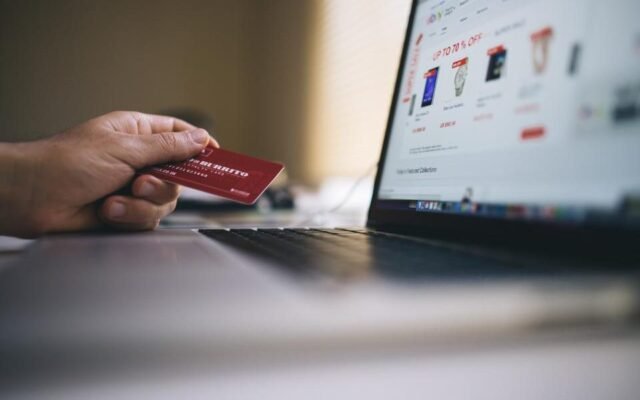
You shopped through a cashback site, waited a week and nothing appeared in your account. Or the cashback showed up as pending, sat there for two months and then vanished. Both are common, and the cause is usually ordinary: the purchase was never tracked, or the store reversed its commission for a reason spelled out in the terms.
This guide explains what has to happen for cashback to reach you, the everyday habits that break the chain, how long “pending” normally lasts and how to file a missing-cashback claim with the right evidence. It focuses on cashback portals and browser extensions, where tracking problems are most frequent.
What has to go right for cashback to track
When you click a store link on a cashback portal, you are sent to the store through a tracking link, and a small file called a cookie is saved in your browser. The cookie tells the store which site referred you. When you check out, the store records the sale against that referral and owes the portal a commission, which is a fee for sending you. The portal then passes part of that commission back to you as cashback.
Every step in that chain has to hold. The cookie must be saved, it must survive until you pay, and it must still be the most recent referral when you check out. If anything blocks or replaces it, the store has no record that the portal sent you. That is why most missing cashback is a tracking failure.
The usual reasons cashback goes missing
Most failures come from a short list of causes. Several are sensible privacy habits, so you only need to adjust them while you shop through a portal.
- Ad blockers and privacy extensions. Many block the tracking links and cookies a portal relies on. Pause them for the store’s site, or keep a separate browser profile for cashback shopping.
- Private browsing and cookie refusals. Private or incognito windows may limit cookies and delete them when closed, and declining all cookies on a retailer’s consent pop-up can stop the referral registering. Some portals advise accepting cookies for that visit.
- Clicking another link after the portal. Coupon sites, price comparison pages, other shopping extensions and sponsored search results can set their own referral and overwrite the portal’s. The last referral before checkout usually wins.
- Coupon codes from other sites. Many portals and retailers exclude or void cashback when you use a code the portal did not list. Codes shown on the portal’s own page for that store are generally fine.
- Switching between app and browser, or between devices. Starting on your phone and paying on your laptop, or being redirected into the store’s own app, can lose the cookie. Finish where you started.
- Exclusions in the terms. Gift card purchases, certain brands, marketplace sellers and orders paid partly with store credit are often excluded.
Pending is not the same as missing
Before you assume something went wrong, check whether the cashback is simply still waiting. Tracked purchases usually appear as pending within a few days. They then stay pending until the store confirms the order, generally after its return window has closed, so a wait of several weeks to a few months is normal.
Pending cashback can still shrink or disappear. If you return an item, cancel an order or make an exchange that the store processes as a refund, the commission is reduced or reversed, and your cashback goes with it. That is not a tracking failure and usually cannot be claimed back. Travel bookings are often confirmed only after the trip has taken place, so they can stay pending even longer.
A shopping routine that tracks more reliably
You cannot control every part of the chain, but a consistent routine prevents the most common failures and quickly becomes automatic.
- Do your research first: compare prices and decide what to buy, but leave the cart empty. Then close coupon sites, comparison pages and other deal tabs.
- Pause ad blockers for the store, or switch to the browser profile you keep for cashback shopping.
- Go to the portal, sign in, read the store’s exclusions and click through to the store.
- Add your items, use only coupon codes listed on the portal’s page and check out in the same browser window without clicking other shopping links.
- Save the confirmation email and take a screenshot of the order confirmation page.
If your portal offers a browser extension, it can remind you when a store pays cashback, but it can also see the pages you visit, so read its permissions and stick to one. Our comparison of how cashback apps track and pay compares portals, extensions, receipt apps and card-linked offers.
How a missing-cashback claim works
If a purchase has not appeared after the waiting period your portal states, you can usually file a missing-cashback claim, sometimes called a tracking inquiry, from your account page. Most portals ask you to wait a few days after the purchase so the store has time to report it, and set a deadline, often a few months after the order date. Check both rules before you start, because late claims are often refused automatically.
The portal then passes your claim to the retailer or to the affiliate network that runs the store’s program. That party, not the portal, usually makes the decision, and it can take weeks. If it is accepted, the cashback is added as pending.
The evidence to keep
- The order number, plus the date and time of purchase.
- The confirmation email or invoice, showing the items and the amount before tax and shipping, plus a screenshot of the confirmation page.
- The approximate time you clicked through, which some portals show in a click history.
- Any coupon code you used, and where it came from.
Fill in the form exactly as the order shows and attach the invoice in the format requested. Claims are typically judged on whether your details match the store’s records, so a complete, accurate submission matters more than a long explanation.
When a claim is declined, and when to let it go

Claims are never guaranteed, even with good evidence. Common reasons for a refusal include an unlisted coupon code, an excluded product or payment method, a returned item or the store finding no record of the referral. If the decision looks wrong, reply once with any detail you missed and ask whether the store gave a reason. If it still stands, let it go, because the amount is usually a few dollars.
Some losses are worth accepting on purpose. Here is an example with assumed numbers: you order $120 of items through a portal advertising 5% cashback on the price before tax and shipping, so you expect about $6. A coupon site offers a $15 code that could void the cashback. Here the code wins, so compare the two before checkout rather than trying to collect both. Our guide to stacking coupons, cashback and card rewards explains which combinations usually work.
Quick checklist
- Click through from the portal last, after your research, and finish in the same browser window.
- Pause ad blockers for the store and avoid private browsing for cashback purchases.
- Use only coupon codes the portal lists, or weigh a better outside code against the cashback.
- Save the confirmation email and a screenshot for every order.
- Check for pending cashback about a week after purchase, note the claim deadline and expect weeks to months before it becomes payable.
Cashback is a small bonus on purchases you already planned, so treat a missing amount as a minor annoyance rather than a loss to chase at any cost. A steady routine prevents most problems, and a tidy folder of confirmations handles the rest. For more ways to keep everyday spending down, browse our money section.